Kindle file formats explained: AZW, AZW3, KFX and EPUB

A folder of Kindle books is a small museum of file extensions: .prc, .mobi, .azw, .azw3, .kfx, occasionally .kpf. Ask what the Kindle file format actually is and the honest answer is a question back: which year? Amazon has rebuilt its book container three times since 2000, has never retired an old extension, and in 2022 quietly started accepting the open format it spent fifteen years refusing.
So this is the reference for the whole family — what each format is at the byte level, how a Kindle gets it, how to identify a mystery file, and which ones still convert to something useful.
Every Kindle file format at a glance
| Extension | Era | What it actually is | Converts here? |
|---|---|---|---|
.prc, .mobi | 2000 | Mobipocket book — HTML in a Palm database | Yes, if DRM-free |
.azw | 2007 | The same MOBI, wrapped in Kindle Store DRM | Only if DRM-free |
.azw3 | 2011 | KF8 — HTML5 and real CSS in the same Palm shell | Yes, if DRM-free |
.kfx | mid-2010s | Current store format; new container, enhanced typesetting | No |
.kpf | — | Kindle Create’s publishing package, publisher-side only | No |
.epub | accepted 2022 | The open W3C standard everything else uses | It is the target |
Three of those rows are the same lineage wearing different badges, which is the part nobody tells you. The next sections take the eras in order.
It all goes back to a Palm organiser
MOBI was built by a French company called Mobipocket in 2000, for the pocket computers of the day — Palm organisers chief among them. Palm devices stored everything in one container: the Palm database, a simple file of numbered records behind a 78-byte header. Mobipocket put compressed HTML in the records, added a header describing the book, and that was the format. Amazon bought Mobipocket in 2005, and when the first Kindle shipped its .azw files were exactly that — Mobipocket books with the store’s DRM applied and the extension changed.
The container is simple enough to write by hand. For this post we did: we took the four-chapter specimen text this site keeps in its repository, wrapped it as a Palm database — one uncompressed HTML record, a PalmDOC header, a MOBI header, an EXTH metadata block carrying the title and author — and got a working 2,151-byte MOBI. Dropped onto the MOBI to EPUB converter, it parses and converts like any book from 2008:
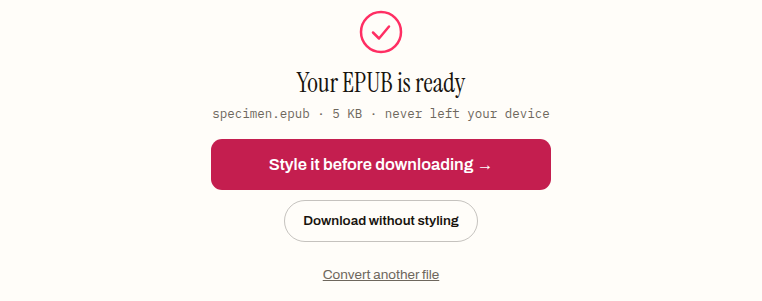
Twenty-six years on, every MOBI, PRC and AZW in existence still carries the fingerprint of that organiser: bytes 60 to 67 of the file spell BOOKMOBI — the Palm database’s type and creator codes. Ours does too; we checked with a hex dump before writing this paragraph.
AZW3 is the same shell with a new engine
By 2011 MOBI was embarrassing. No embedded fonts, no meaningful CSS, no fixed layouts — the web had moved on and ebooks hadn’t. Amazon’s answer was KF8, the format inside .azw3 files: proper HTML5 and CSS3, fonts, floats, fixed-layout support.
What Amazon did not change was the container. An AZW3 is still a Palm database; byte 60 still says BOOKMOBI. Many files of that era are actually two books in one — a legacy MOBI section and a KF8 section separated by a boundary record, so that older devices could read the half they understood. That shared shell is why this site’s MOBI and AZW3 converters are the same parser underneath — the MOBI tool takes .mobi and .prc, the AZW3 tool takes .azw3 and DRM-free .azw, and the only real difference between the files is the generation of the content inside the wrapper.
A side note for completeness: if you ever meet a .tpz or .azw1 file, that is Topaz, a parallel Amazon format for scanned books with baked-in page images. It was always rare and is best treated as unconvertible.
KFX is where the door closes
The current generation, KFX, arrived in the mid-2010s alongside Amazon’s enhanced-typesetting push — better hyphenation, ligatures, the Bookerly typeface. It abandoned the Palm container entirely for a new structure, and unlike its ancestors it was never really a file you own so much as a delivery: the store assembles it per device, protection is woven through it, and nothing outside Amazon’s own software reads it.
That is not a gap in this site’s tooling we plan to fix — it is the design working as intended. No browser tool converts KFX, ours included, and any site claiming otherwise deserves suspicion.
.kpf is the other modern extension, and it points the opposite direction: it is what Amazon’s Kindle Create app produces for publishing a book. If you didn’t make the file yourself in Kindle Create, you will likely never see one.
EPUB: the format Amazon resisted, then accepted
The quiet ending of the story is that the format wars concluded and the open standard won. In 2022 Send-to-Kindle began accepting EPUB — and dropped MOBI as an input the same year. A Kindle still never stores your EPUB; Amazon converts it to its own format on the way in. But from a reader’s side of the fence the practical rule became simple: keep books as EPUB, and send them to the Kindle when needed.
The difference between the two worlds is easy to show, because it is a difference of container philosophy. Our hand-built MOBI above is a single opaque binary — without a parser you learn nothing from it. The 4,687-byte EPUB the converter produced from it is a ZIP archive of named, readable parts:
$ unzip -l specimen-from-mobi.epub   (4,687 bytes total)
       251  META-INF/container.xml
       842  OEBPS/chapter-001.xhtml
       864  OEBPS/chapter-002.xhtml
       594  OEBPS/chapter-003.xhtml
       548  OEBPS/chapter-004.xhtml
      1221  OEBPS/content.opf
       512  OEBPS/nav.xhtml
       452  OEBPS/style.css
       762  OEBPS/toc.ncx
        20  mimetype
One format is a sealed room; the other is a labelled filing cabinet. That transparency — anyone can open it, inspect it, repair it — is much of why EPUB outlived its proprietary rivals.
Telling a mystery file apart
Extensions lie, especially on old files that have been renamed in hope. The first bytes do not:
- Starts with
PK— it is a ZIP, which for a book means EPUB. Renaming a MOBI to.epubdoes not make this true, and readers check. BOOKMOBIat byte 60 — the MOBI family. Whether it is original MOBI or KF8 inside is recorded in a version field in the MOBI header; our converters read it and handle both, so for practical purposes you don’t need to care.- Neither — likely KFX, Topaz, or not an ebook at all.
What converts, and what doesn’t
The honest edges, before the cheerful ending:
- DRM decides everything. A store-bought book is locked whatever its era, and no legitimate converter opens it — ours included. The lock is a property of the purchase, not the format; how ebook DRM works covers exactly what the lock is. What converts freely: DRM-free purchases, public-domain books, and anything you made.
- KFX doesn’t convert, as above. If a book only exists as KFX on a device, it stays there.
- Annotations and reading positions never travel. They live in Amazon’s sidecar system, not the book file.
- Going the other way needs no converter. To get an EPUB onto a Kindle you do not convert it to AZW3 first — you send it, and Amazon does the rest.
If you have a folder of these
The files worth acting on are the DRM-free .mobi, .prc, .azw and .azw3 ones — books you wrote, bought unlocked, or collected from public-domain libraries. Those convert cleanly to the open format in your browser with the AZW3 to EPUB converter, the same parser we fed our hand-built specimen to above, and nothing you own gets uploaded anywhere in the process. For the full migration workflow — metadata repair included — the MOBI retirement guide walks the whole road.
The format history in this post is one argument for doing it. Every proprietary generation — MOBI, AZW, AZW3, KFX — eventually became somebody’s museum piece. The open one is still here.
Frequently asked questions
What is the difference between AZW and AZW3?
A generation and an engine. An .azw is the original Mobipocket book — compressed HTML in a Palm database — wrapped in Kindle Store DRM; an .azw3 holds KF8, the 2011 rebuild with proper HTML5 and CSS, inside the same Palm container. Both still spell BOOKMOBI at byte 60, which is why one parser can read the whole family.
Do I need to convert my EPUB to AZW3 before putting it on a Kindle?
No — send the EPUB as it is and Amazon converts it on the way in. Send-to-Kindle has accepted EPUB since 2022, and dropped MOBI as an input the same year, so converting to a Kindle format first is a step the pipeline no longer wants. Conversion is only needed in the other direction, out of the old formats.
Why do some AZW3 files contain the book twice?
For backward compatibility. Many files of that era carry a legacy MOBI section and a KF8 section separated by a boundary record, so older devices could read the half they understood. It is the same book in two generations inside one container; a version field in the MOBI header records what is inside, and parsers read it to handle both.
What is a .kpf file and can I read it?
A .kpf is the publishing package Amazon's Kindle Create app produces, and it points the opposite way from every other extension here — publisher-side rather than reader-side. Unless you made the file yourself in Kindle Create you will likely never meet one, and it is not a format for reading or converting.
Will my notes and highlights survive converting a Kindle book?
No. Annotations and reading positions never travel with the book — they live in Amazon's sidecar system, not in the book file itself. Converting a DRM-free Kindle book carries the book across; anything you wrote in the margins stays behind in Amazon's ecosystem.
What is a Topaz (.tpz or .azw1) file?
Topaz was a parallel Amazon format for scanned books, built around baked-in page images rather than flowing text. It was always rare and is best treated as unconvertible — if you meet one, it is a museum piece rather than a migration candidate.