How to create an EPUB, step by step

People asking how to create an EPUB usually expect the answer to involve new software — something to install, a format to study, a week of learning before the first working file. The honest answer is smaller than that. If you have a manuscript, you are most of the way there already. An EPUB is not a thing you write; it is a package your writing gets put into, and the packaging step is the quick part.
The slow part — the only genuinely skilled part — happens inside your manuscript before any converter touches it. That is where this walkthrough spends its attention, because it is where the quality of the finished book is decided.
To keep it honest, we ran the whole process on a real file while writing this, using our own tools, and every number below comes from that run.
What you are actually making
An EPUB file is a zip archive with rules. Inside it, each chapter of your book is a separate XHTML document — structured web markup — plus a manifest listing every file, a spine giving the reading order, and a navigation document that becomes the table of contents. That is the entire trick, and what is inside an EPUB walks the anatomy if you want to see it laid out.
The reason this matters practically: a converter’s whole job is to translate your manuscript into that set of chapter documents. It decides where one chapter ends and the next begins by reading the structure your source declares. Declare it clearly and the book builds itself. Declare it vaguely — chapter titles that are merely bold and centred — and you get one long undivided chapter with no navigation, which is the single most common first-EPUB failure there is.
Step 1 — put the structure in the source
Open your manuscript and look at how the chapter titles are made. If they are ordinary paragraphs that were selected and made bigger, the converter cannot see them. If they carry the real Heading 1 style, it can.
That is the entire skill. Apply Heading 1 to every chapter title, Heading 2 to sections within chapters, and let body text stay body text. In Word the styles gallery does it; the convert a Word document to EPUB guide covers the details, including what happens to images and footnotes. Writing in plain text instead? Markdown states the same structure with # marks, and the best format to convert to EPUB comparison weighs the routes if you have a genuine choice of source.
Everything visual that is not structure — fonts, margins, careful page layout — will not survive, and should not. An EPUB reflows to fit whatever screen it lands on. What you are carrying across is the text and its structure, nothing else.
Step 2 — create the EPUB in the browser
Our test file is the five-chapter specimen manuscript this blog uses for every demonstration: a 9,452-byte DOCX with real Heading 1 styles on its chapter titles. (It was itself produced by our EPUB to DOCX tool from the repository’s specimen book, so every byte of this run is reproducible.) We dropped it on the converter and clicked convert:
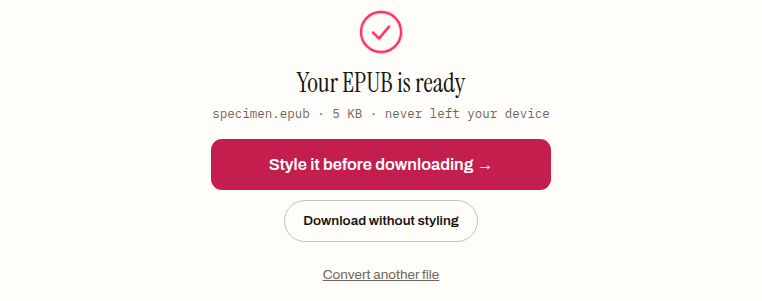
The conversion runs in the browser tab — the manuscript is never uploaded anywhere, which is not a small point when the file is an unpublished book. The finished EPUB came out at 5,177 bytes, and the converter found all five chapters on its own, because the headings told it where they were.
Step 3 — look at what came out
Unzipping the file we just made shows the shape described earlier, now real:
$ unzip -l specimen.epub   (5,177 bytes total)
       251  META-INF/container.xml
       362  OEBPS/chapter-001.xhtml
       839  OEBPS/chapter-002.xhtml
       899  OEBPS/chapter-003.xhtml
       614  OEBPS/chapter-004.xhtml
       569  OEBPS/chapter-005.xhtml
      1314  OEBPS/content.opf
       682  OEBPS/nav.xhtml
       452  OEBPS/style.css
       986  OEBPS/toc.ncx
        20  mimetype
Five chapter files, one per Heading 1. A nav.xhtml whose table of contents lists the five chapter titles in order. A content.opf package document carrying the manifest, the spine and the metadata.
That metadata deserves a look before you move on, because a converter can only know what the source told it. Our output’s package document says the title is “Specimen” — taken from the document — and the author is “Unknown”, because a DOCX does not reliably carry one. Shops and reading apps display exactly these fields, so an “Unknown” author will follow the book everywhere it goes. Thirty seconds in the EPUB metadata editor sets the title, author and language properly, and is worth doing on every freshly created file.
Step 4 — validate before you send it anywhere
The last step is the one people skip, and it is the cheapest insurance in the whole process. We dropped our new EPUB onto the validator:
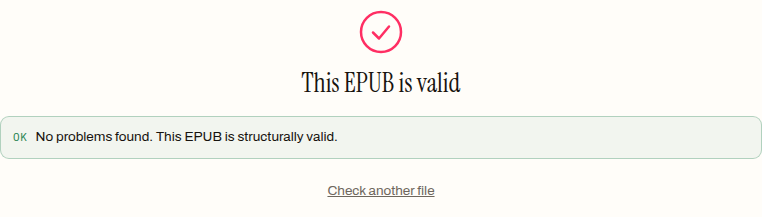
A pass means the archive is structurally sound: the mimetype is exact, every manifest entry resolves to a real file, the spine has a reading order, the required metadata exists. That is what stores and library platforms actually check by machine before a human ever sees the book. A file that fails here gets rejected with an error message; running the EPUB validator first means you see that message before the store does, while it still costs nothing.
What a converter will not do
Being realistic about the limits saves the most frustration.
A converter will not invent structure. If the manuscript never marked its chapters, the EPUB will not have chapters — the fix is in the source, not in trying other converters until one guesses.
It will not design a cover. A first EPUB without one works fine, but a book heading to a store needs a cover image added — that is a separate, deliberate step, not something conversion supplies.
And there is a line past which conversion is the wrong tool entirely. Picture books and comics need fixed-layout EPUB, which is hand construction, not conversion. Hand-placed footnotes, complex nested navigation, or surgical markup repair call for a desktop editor — Calibre or Sigil — working on the converted file. Conversion gets you a clean, valid structural base. For most prose books that base is the finished article; for the exceptions, it is the correct starting point.
From here
The order is the whole method: structure first, convert second, metadata third, validate last. The first EPUB you make this way takes about ten minutes, and nearly all of them are spent applying heading styles — which is exactly as it should be, because that is the part that becomes your table of contents, your chapter breaks and your reader’s experience of the book. When the manuscript is ready, the DOCX to EPUB converter will do its part in seconds, in the browser, without the book ever leaving your machine.
How to create an EPUB from a manuscript
- 01 Put real structure in the sourceApply Heading 1 to every chapter title and Heading 2 to sections within chapters. The converter splits chapters by these styles — titles that are merely bold and centred are invisible to it.
- 02 Convert the file in the browserDrop the DOCX on the converter. It builds one chapter document per Heading 1, with the manifest, spine and navigation around them, without the manuscript ever being uploaded.
- 03 Check and fix the metadataSet the title, author and language in the metadata editor — a DOCX does not reliably carry an author, and stores display exactly what the package document says.
- 04 Validate before sending it anywhereRun the finished file through the EPUB validator. A pass means the archive is structurally sound; a failure shows you the store's rejection message before the store does.
Frequently asked questions
Why did my converted EPUB come out as one long chapter?
Because the converter could not see your chapter titles. It decides where chapters begin by reading real heading styles, and titles that were just selected and made bigger are invisible to it. Apply Heading 1 to every chapter title in the source and reconvert — the fix is in the manuscript, not in trying other converters until one guesses.
Do I need to install Calibre or Sigil to make an EPUB?
Not for a standard prose book — a browser-based converter, metadata editor and validator cover the whole path with nothing installed. Desktop editors earn their place at the edges: fixed-layout picture books, hand-placed footnotes, complex nested navigation, or surgical markup repair on an already-converted file.
Why does my new EPUB say the author is Unknown?
Because a DOCX does not reliably carry an author field, so the converter had nothing to copy across. Stores and reading apps display exactly what the package document says, which means an Unknown author follows the book everywhere — thirty seconds in a metadata editor setting title, author and language is worth it on every freshly created file.
Will my fonts and page layout carry over into the EPUB?
No, and they should not. An EPUB reflows to fit whatever screen it lands on, so what carries across is the text and its structure — fonts, margins and careful page layout are deliberately left behind. If a page must look identical everywhere, that requirement points at a different format, not at a different converter.
How long does it take to create an EPUB?
About ten minutes for a first book made this way, and nearly all of them are spent applying heading styles to the manuscript. The conversion itself takes seconds. That balance is right: the structure work is what becomes your chapter breaks, navigation and the reader's experience of the book.
Does my book need a cover before I publish it?
A first EPUB works fine without one, but a book heading to a store needs a cover image added as its own deliberate step — conversion does not design or supply covers. Treat it like metadata: something to complete after the structural base is built and validated.