How to convert an ebook to PDF (from any format)

Every site offering an “ebook to PDF converter” skips an awkward first question: which ebook? To convert an ebook to PDF you need to know what the file actually is, because “ebook” names a shelf, not a format. The file behind that word is usually one of four different containers — EPUB, MOBI, AZW3 or a comic archive — and they have less in common with each other than their shared shelf suggests. Two of them are ZIP files. One is a database format from the Palm Pilot era. None of them can be read by the tool built for another.
The good news is that the file will tell you which one it is, and once it has, the conversion itself is the easy part. This post walks the whole route on real files — every byte count below comes from conversions run while writing it.
.epub, .mobi, .azw3 or .cbz — and use the converter built for that format. All four run in your browser, and nothing is uploaded anywhere. If the extension is missing or suspect, the file's first bytes settle it in seconds.
The file will tell you what it is
The extension is the first witness, but not always a reliable one — files get renamed, mailed, and stripped of their names. The bytes at the start of the file are the honest record. Here are our three test files, read directly off the disk:
specimen.epub    starts: 50 4b 03 04  "PK.."
                 byte 30: mimetypeapplication/epub+zip
comic-2page.cbz  starts: 50 4b 03 04  "PK.."
                 entries: page-001.png, page-002.png
specimen.mobi    byte 60: BOOKMOBI
The pattern is worth internalising. PK opens every ZIP archive, and both EPUB and CBZ are ZIP archives — what separates them is the contents. An EPUB declares itself immediately: its first entry is a file named mimetype containing application/epub+zip, which is why that text sits readably at byte 30 of nearly every EPUB in existence. A comic archive makes no declaration at all; it is a plain ZIP of page images, and that is the whole format.
MOBI is the odd one out. It does not begin with a signature — the first 32 bytes are the book’s own internal database name, a different string in every file. The format announces itself at byte 60 instead, where the marker BOOKMOBI identifies the Palm-database container that Amazon’s formats inherited. AZW3 uses the same container and the same marker; it is the same wrapper around a newer inside.
And if the first bytes read %PDF — it happens more often than you would think — the file was a PDF all along, wearing the wrong name.
One page per format
With the format known, the routing is mechanical:
| What you have | How you recognise it | The converter |
|---|---|---|
| EPUB | .epub, or PK + the mimetype line | EPUB to PDF |
| MOBI | .mobi, or BOOKMOBI at byte 60 | MOBI to PDF |
| AZW3 | .azw3 — same container as MOBI | AZW3 to PDF |
| CBZ comic | .cbz, or a ZIP holding only images | CBZ to PDF |
We ran three of those routes while writing this. The five-chapter EPUB from this site’s test set — 5,183 bytes — came out as a 5,906-byte PDF of exactly five pages, one per chapter.
The MOBI run needed a confession first: a DRM-free MOBI is genuinely hard to come by in 2026, since Amazon retired the format and most surviving files carry store DRM. So we built one — by hand, from the same specimen text, writing the Palm database container byte by byte until it carried BOOKMOBI at byte 60 like any file Kindlegen ever produced. The result is 2,111 bytes and honestly minimal, but it is a real MOBI by structure, and the converter treated it as one:
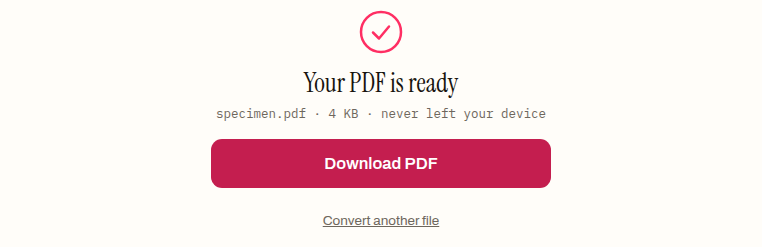
That is the done panel for the hand-built file: 2,111 bytes of Palm database in, a 4,340-byte PDF out, title and author carried across from the MOBI’s metadata records. The comic route ran on our two-page test archive:
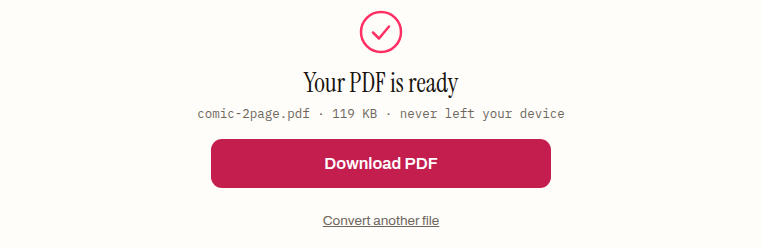
The 104,129-byte archive became a 121,379-byte PDF holding two pages and two images — page files in, one page per image out, nothing resampled into mush.
One implementation note that simplifies the mental model: on this site the MOBI and AZW3 pages share one engine. Both parse the Palm container into an EPUB and hand it to the same PDF renderer the EPUB page uses. Four doors, one machine behind them.
What the conversion spends
A conversion this convenient has a cost, and it is worth naming plainly: the PDF is the book with its reflow removed. The EPUB re-wrapped every paragraph to fit whatever screen opened it; the PDF fixes each line in place and shows the same page everywhere. Our specimen’s five chapters became five fixed pages, their text set in the PDF’s standard built-in faces — the converted file lists the Helvetica, Times and Courier families rather than embedding custom fonts, which keeps the output small and portable at the price of the book’s own typography.
Whether that trade is good depends entirely on what the PDF is for. Printing, marginalia, sharing with someone whose device you do not know — fixed pages are exactly right. Reading on a phone — they are exactly wrong, and the original file remains the better copy. For EPUB sources there is also real control over the outcome: page size, margins and font choices change what “frozen” looks like, and the EPUB to PDF settings guide covers those decisions in detail.
Comics are the simple case. A CBZ is already fixed layout — each page is a finished image — so the PDF loses nothing at all. That conversion is pure repackaging, and it is the one route here with no trade-off to weigh.
The files that will stay un-convertible
Being realistic about the boundaries:
Store books with DRM do not convert. A Kindle book from your Amazon library, a Kobo purchase, an Adobe-locked EPUB from a library service — the container opens, but the text inside is encrypted, and the converter meets noise where the chapters should be. That is the lock working as designed. This site does not remove DRM, and no honest description of these tools can imply otherwise.
Newer Kindle downloads are not MOBI at all. Files that recent Kindle apps store locally use Amazon’s KFX arrangement, which these parsers do not read even before DRM enters the picture. The MOBI and AZW3 routes are for the older, DRM-free files — sideloaded libraries, small-press purchases, your own conversions.
CBR is not CBZ. The comic converter accepts ZIP-based archives; .cbr files are RAR archives, which browsers cannot unpack. Re-pack the pages as a .cbz with a desktop tool first.
The wrong door fails safely. Dropped our EPUB onto the MOBI page to check: the parser stopped in about a second with Offset is outside the bounds of the DataView — a blunt message, but the failure mode is nothing-produced, never a silently broken PDF. Misrouting a file costs a retry, not a corrupted output.
That last point is really the summary of the whole post. The four converters are strict about what they read precisely because the four formats share so little. Spend the ten seconds identifying the file — extension first, first bytes if in doubt — and the conversion itself is a drop, a click, and a page count to skim before you save.
How to convert an ebook to PDF
- 01 Find out what the file actually isRead the extension — .epub, .mobi, .azw3, .cbz — or, if it is missing, the first bytes of the file. Each format announces itself.
- 02 Open the converter that matchesOne page per format: EPUB to PDF, MOBI to PDF, AZW3 to PDF, CBZ to PDF. The wrong page fails fast with a parse error rather than producing a broken PDF.
- 03 Drop the file and convertThe conversion runs in your browser — the file never leaves your device. A few seconds later the done panel names the output and its size.
- 04 Check the result before you rely on itOpen the PDF and skim the pages. Reflowable text is now frozen into a fixed layout, so confirm the pagination is one you can live with.
Frequently asked questions
How do I convert a Kindle book I bought to PDF?
If the file has store DRM, you do not — the converter meets encrypted records instead of readable text, and removing that lock is not something this site does or explains. The MOBI and AZW3 routes here are for DRM-free files: your own drafts, files from stores that sell without DRM, and old sideloaded libraries.
What format is my ebook if it has no file extension?
Read the first bytes. PK means a ZIP container — an EPUB if the text application/epub+zip appears right after, a comic archive if the entries are just images. BOOKMOBI at byte 60 means MOBI or AZW3, and %PDF means the file was a PDF all along.
What happens if I pick the wrong converter for my format?
It fails fast and produces nothing. When we dropped an EPUB onto the MOBI page while writing this post, the parser stopped with an error in about a second — no output, no broken file. Picking the right page is a convenience, not a safety requirement.
Why is the converted PDF bigger than the ebook was?
Because a PDF stores the layout, not just the text — every page carries its own drawing instructions saying where each line sits. Both test conversions grew: a 5,183-byte EPUB became a 5,906-byte PDF, and a 104,129-byte comic archive became a 121,379-byte PDF.
Will the PDF still reflow on a small screen?
No — that is the one thing the conversion permanently spends. The ebook re-wrapped its lines to fit any screen; the PDF shows the same fixed page everywhere, which means zooming and panning on a phone. If you read on small screens, keep the original file too.
Can I turn the PDF back into an EPUB later?
There is a converter for that direction, but reconstruction from frozen pages is lossier than the trip in — headings, paragraph breaks and flow have to be inferred from the layout. Treat PDF as an export for printing and sharing, and keep the source ebook as the master copy.