EPUB dark mode not working? It is the book, not the app

The complaint keeps resurfacing on MobileRead, in Apple’s support communities, on Zotero’s forum: night mode is on, the app’s chrome is dark, and the book is wrong anyway. Either the page stays blinding white in a dark room, or — the stranger version — the background obediently goes dark and the words vanish into it, with the chapter title floating alone in the void.
People blame the app, reinstall it, try another one, and sometimes that even works. Which makes the whole thing look haunted. It is not haunted. It is one CSS declaration, and you can watch it happen.
One night mode, three different books
To take the mystery out of it, we hand-built a 2,759-byte EPUB with two chapters that make the two classic mistakes. Chapter one’s stylesheet does what many export tools do by default:
body { background: #ffffff; color: #000000; }Chapter two commits the subtler sin — it declares half the pair:
p { color: #000000; }Then we rendered both in Chromium inside a minimal night reader: the app’s theme — background: #111111; color: #E8E6E1 — injected ahead of the book’s stylesheet, with no !important, which is the polite way many readers apply their themes. Same night mode, three outcomes:
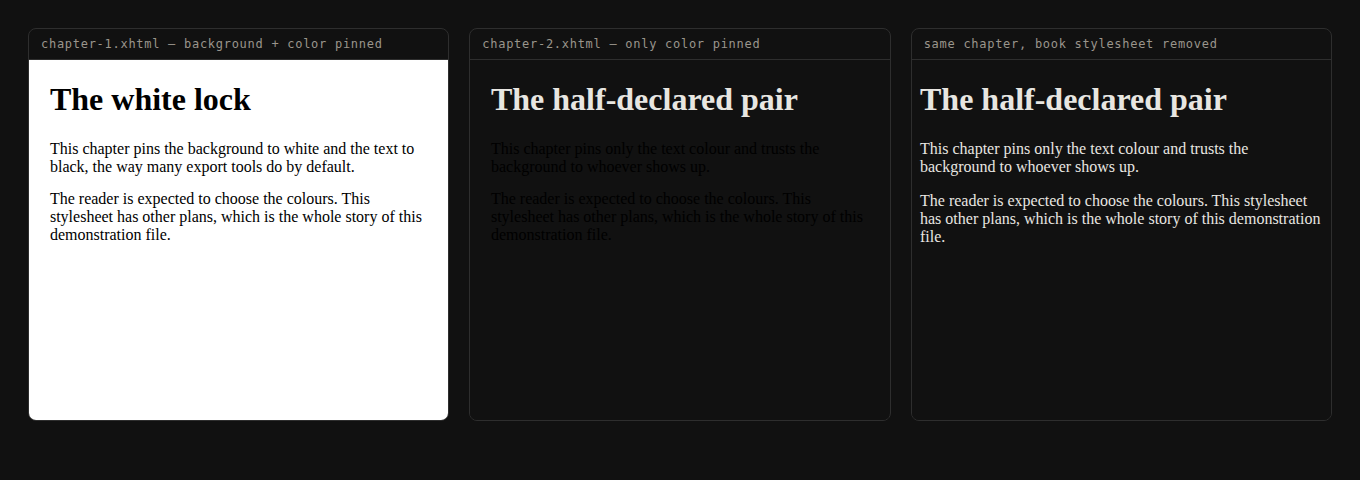
The computed styles, read straight out of the browser, name the fault precisely:
| Panel | Page background | Paragraph colour | What you see |
|---|---|---|---|
| Both colours pinned | rgb(255, 255, 255) | rgb(0, 0, 0) | A white page in a dark room |
| Only text pinned | rgb(17, 17, 17) | rgb(0, 0, 0) | Black-on-black — invisible |
| Book stylesheet removed | rgb(17, 17, 17) | rgb(232, 230, 225) | Night mode, working |
The middle panel explains the eeriest symptom people report: some of the text is fine. The heading is visible because the book’s rule targeted only p — everything the stylesheet did not touch inherits the app’s night colours, and everything it did touch keeps daylight black. A book can be half-visible in night mode for exactly as far as one selector reaches.
The app proposes, the book disposes
A reading system is showing you someone else’s document, so its theme has to be applied around the book’s own CSS. Apply it gently — inject defaults and let the cascade run — and any colour the publisher declared wins, because author rules out-specify reader defaults. Apply it forcefully — !important on everything, or discard publisher styles wholesale — and the theme always lands, at the cost of stamping on books that used colour deliberately.
Real apps sit at every point on that dial, which is why this fault feels random across devices. The Readium project, whose CSS powers a good share of EPUB apps, is blunt about the forceful end in its override classification: custom themes — “background, text, link and selection colors” — “should be applied by any means necessary”. Any means necessary is what it takes to out-shout a stylesheet that pinned its colours. Apps that don’t go that far are the ones your book breaks in.
None of this is invalid, by the way. Pinned colours are legal CSS in a legal EPUB; no validator will raise an eyebrow at a book that is unreadable at night. Valid and well-designed are different tests.
The fix you can do tonight: give the book new colours
If it is your book to read rather than to publish, the practical fix is to replace the stylesheet, and this is exactly what Style Studio is for. We dropped the misbehaving fixture into the live studio, picked the Dusk theme, and downloaded:
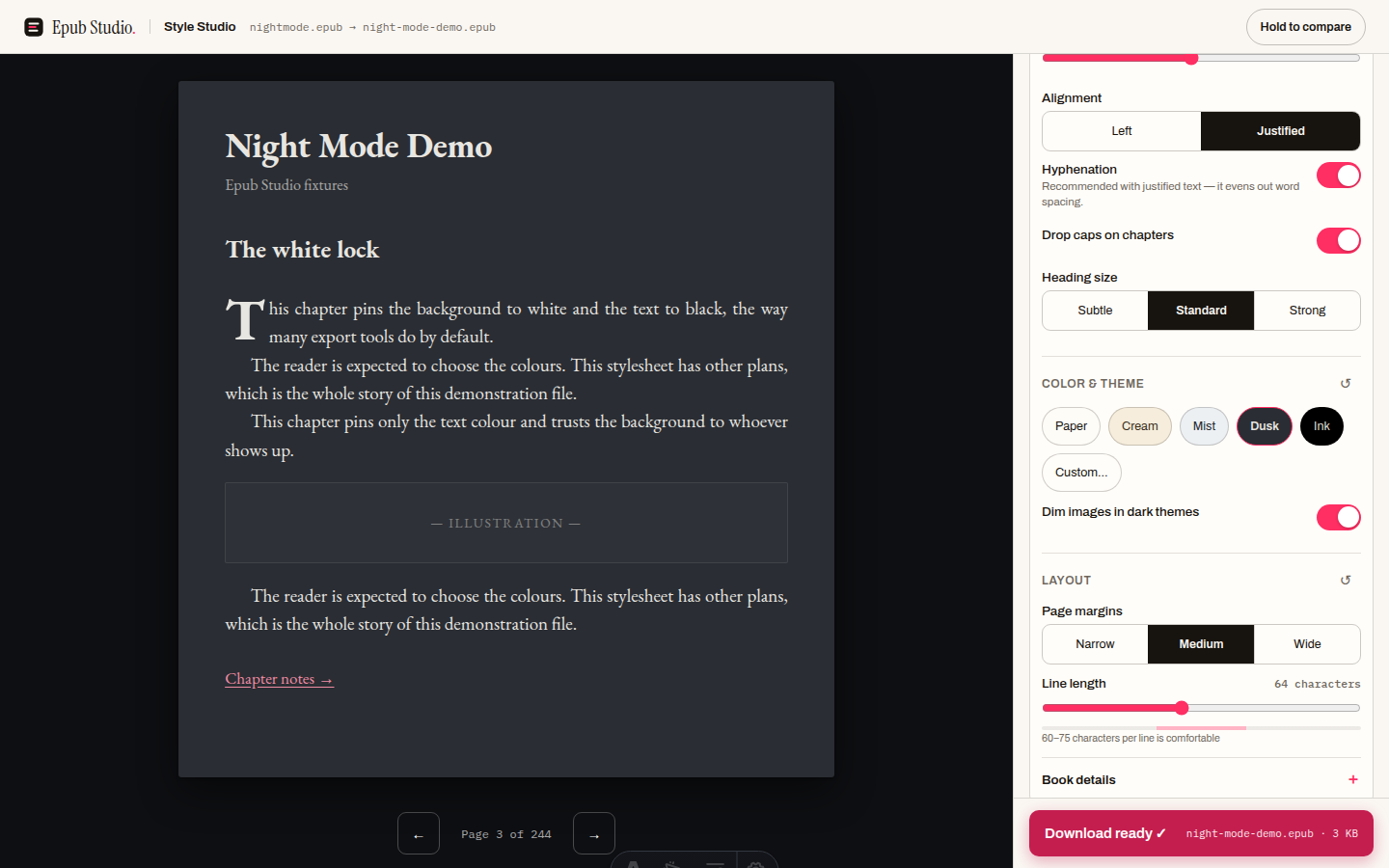
The download is not a preview trick; the file itself changes. Inside the 3,496-byte output, every chapter’s link to the old stylesheets is gone, replaced by one link to a generated epub-studio.css (1,153 bytes) that opens:
html{background:#2A2D33}
body{
  background:#2A2D33;
  color:#E8E6E1;
  ...
}
Both colour and background, declared together, every time — the studio never writes half a pair. Back in the same night harness, the before and after of the very chapter that glared white:
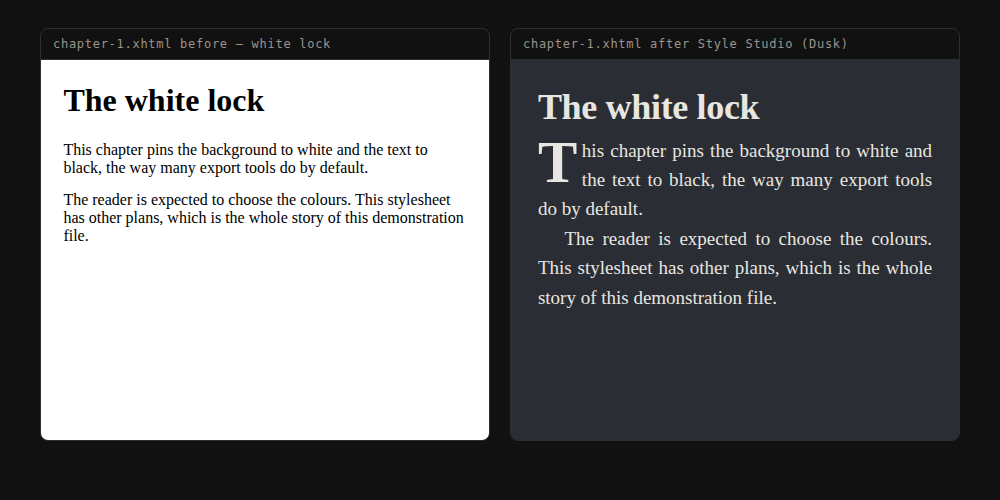
Being precise about what this does: it does not restore the app’s control — it takes control on your behalf. The restyled book carries a deliberate dark theme instead of an accidental light one. Pick Dusk or Ink and it is a night book everywhere; pick Paper and it is a day book everywhere. The old style-1.css and style-2.css also remain in the archive, orphaned — nothing links them any more, but a hand-tidier would delete them.
The fix if you made the book: declare both, or neither
For authors and converters the rule is one sentence with two halves. Either say nothing about colour and let every reader’s theme work — or, anywhere you must set color, set background-color in the same rule, so your page at least stays self-consistent under any theme.
The vendor guidance agrees. Kobo’s EPUB publisher spec puts it plainly: “Kobo recommends that publishers avoid specifying background colors in the CSS for reflowable EPUBs. Background colors may make the content difficult to read when the user has selected the sepia or night modes or when reading on eInk devices.”
If the offending book is one you can edit, the surgical version of the fix is deleting the colour declarations from its CSS by hand — the same open-edit-repack loop we walked through in the Sigil editor guide. Delete color and background lines from the stylesheet, repack, and the book becomes theme-neutral rather than theme-replaced, which is the better end state for a file you distribute.
What we have not tested here, honestly: specific devices. We claim nothing about how any particular Kindle, Kobo or phone app applies its night theme, because none of them can be driven in this environment — the mechanism above is demonstrated in a real browser engine with the cascade at its politest. If your app forces its theme, it may shrug off even a colour-pinned book; that does not make the book right, it makes the app forgiving.
So the next time night mode “breaks”: it broke at export time, months ago, inside the book. Open the file in Style Studio, give it colours you chose on purpose, and read in the dark.
How to fix an EPUB that breaks in dark mode
- 01 Open the book in Style StudioLoad the EPUB in the browser-based studio. Its live preview shows the book with your settings applied, not the stylesheet that was misbehaving.
- 02 Pick the theme yourselfChoose Dusk or Ink for night reading, or a light theme for daytime. Whichever you pick becomes the book's own design, replacing the old colour rules.
- 03 Download and read the restyled copyThe download rewrites the book's stylesheet and relinks every chapter to it, so the copy reads the same in any app.
Frequently asked questions
Why is my EPUB text invisible in dark mode?
The book's stylesheet almost certainly pins the text colour to black without declaring a background. Night mode darkens the background, the pinned text colour survives, and you get black text on a near-black page. On our test file the paragraphs computed to rgb(0,0,0) on rgb(17,17,17) — technically rendered, practically invisible.
Why does the same book behave in one reading app and break in another?
Apps apply their themes with different levels of force. Some inject night colours politely, as defaults the book's own CSS can override; others force their theme over anything the publisher wrote. A book with pinned colours breaks in the polite apps and looks fine in the forceful ones, which is why the fault looks random until you inspect the file.
Will converting the book to another format fix it?
Usually not. Conversion carries the content across, and often the styling with it — the problem travels. The fault lives in the stylesheet, so the fix is restyling, not reformatting. Replacing the stylesheet takes seconds and does not touch the text.
How do I make an EPUB that always respects the reader's dark mode?
Declare no text or background colours at all in your CSS, or declare both together everywhere you declare either. Kobo's publisher guidelines recommend avoiding background colours in reflowable books precisely because they fight sepia and night modes. A book that stays silent about colour lets every app's theme work.
Is a book that does this broken or invalid?
No. Pinning colours is perfectly valid CSS in a perfectly valid EPUB, which is why no validator flags it. It is a design decision that happens to collide with a reader setting the designer never tested. That is also why the books that do this ship every day.
Does the restyled book follow my phone's dark mode automatically?
No — and this is the honest trade-off. Style Studio writes one fixed theme into the file, so a copy styled Dusk is a dark book everywhere, day and night. If you read in both modes, keep two copies or let an app with forceful theming handle the original.