EPUB margins too big? Why the slider does nothing

This complaint keeps resurfacing on MobileRead, in Calibre’s issue tracker and on Ask MetaFilter, usually in the same two sentences: the margins in this EPUB are enormous, and the margin setting in my reading app does nothing. People drag the slider to zero, the page twitches, and the text stays squeezed into a column the width of a till receipt.
The complaint is accurate. If your EPUB margins are too big and the app’s control won’t shrink them, that is not you missing a setting — it is the book’s own stylesheet outranking the app. We built a test book that locks its margins the way real publishers accidentally do, measured exactly where a 360 px phone screen goes, and then fixed it. The numbers are below.
Four margins deep: what is actually around the text
An EPUB chapter is an HTML page, and HTML offers a dozen places to put horizontal space. A book only needs one. The books people complain about use four.
Our test book, marginbook.epub, is 3,334 bytes and has three chapters sharing one stylesheet. Chapter One carries no layout rules at all. Chapter Two is the problem child — its stylesheet pins space at every level a real book can:
| Layer | Rule in the book’s CSS | At a 360 px viewport |
|---|---|---|
| Page margin | body { margin: 0 10% } | 36 px per side |
| Page padding | body { padding: 0 1.25em } | 20 px per side |
| Container | div.inner { padding: 0 1.5em } | 24 px per side |
| Paragraph | p { margin: 0 0.75em } | 12 px per side |
That is 92 px of publisher-owned space on each side before a single word renders, plus a 2em first-line indent (32 px) on top. We loaded both chapters in a 360 px Chromium viewport — a stand-in for a phone reader, which adds its own frame on top of all this — and measured the paragraph boxes:
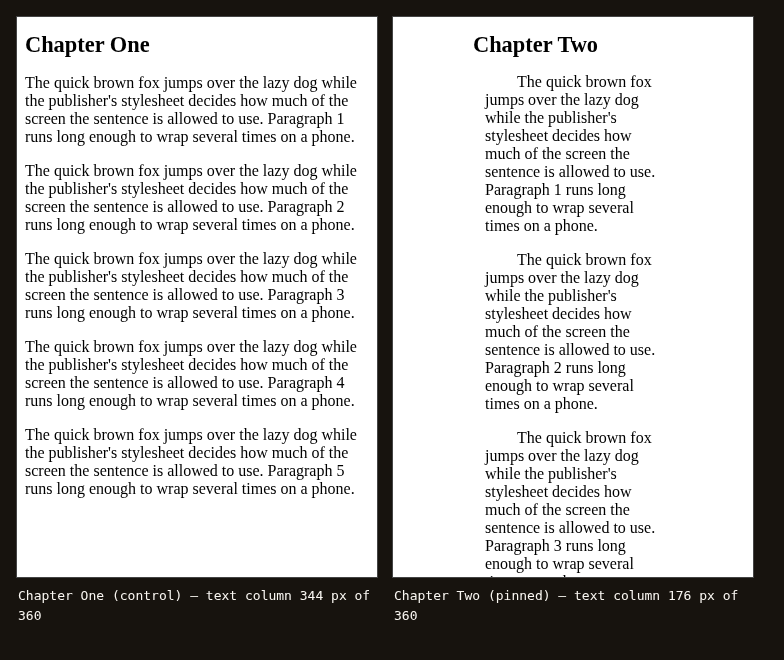
Same book, same screen, same paragraphs. The control chapter’s text column measures 344 px. The pinned chapter’s measures 176 px. The reader did nothing wrong; the stylesheet spent 51% of the display on emptiness.
Why the app’s margin setting cannot win
A reading app’s margin slider adjusts space the app owns — the frame around the rendered page, or at most the page-level margin. It does not rewrite the publisher’s stylesheet, and it shouldn’t: the same control has to work on every book without breaking any of them.
We can measure how little that is worth against a stacked book. Forcing the page margin to zero — body { margin: 0 !important }, which is more than most apps’ sliders actually do — grew Chapter Two’s text column from 176 px to 248 px. The other three layers survived untouched, because the slider’s layer was only one of four. A reader who drags margins to minimum gets back 72 px and keeps 112 px of waste, which is precisely the “it does something, but not enough” behaviour the forum threads describe.
There is a second trap hiding in the units. Our test book pins its padding in em, and em is a multiple of the current font size — so every layer set in em grows when the reader turns the text up. Kobo’s own EPUB guidelines warn publishers off exactly this: “When users on mobile devices select a large font-size, it will also increase margins set in ems.” Bigger type, bigger margins, narrower column. The setting meant to help legibility makes the layout worse.
And none of this is corruption. We dropped marginbook.epub on our EPUB validator and it passed:
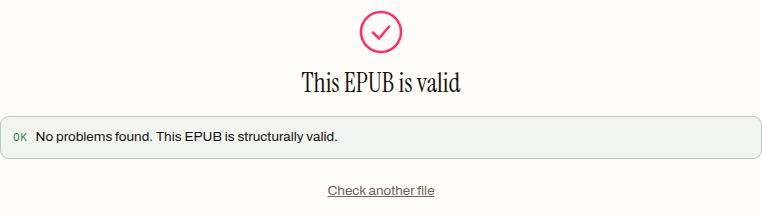
A validator checks the container, the manifest, the spine. It has no opinion on whether 10% page margins on a phone are a good idea. Structurally fine and unreadable are compatible states.
The fix: replace the stylesheet, not the setting
Since the margins live in the book’s CSS, the fix is to change the book’s CSS. We ran the test book through Style Studio, this site’s typography workbench, live:
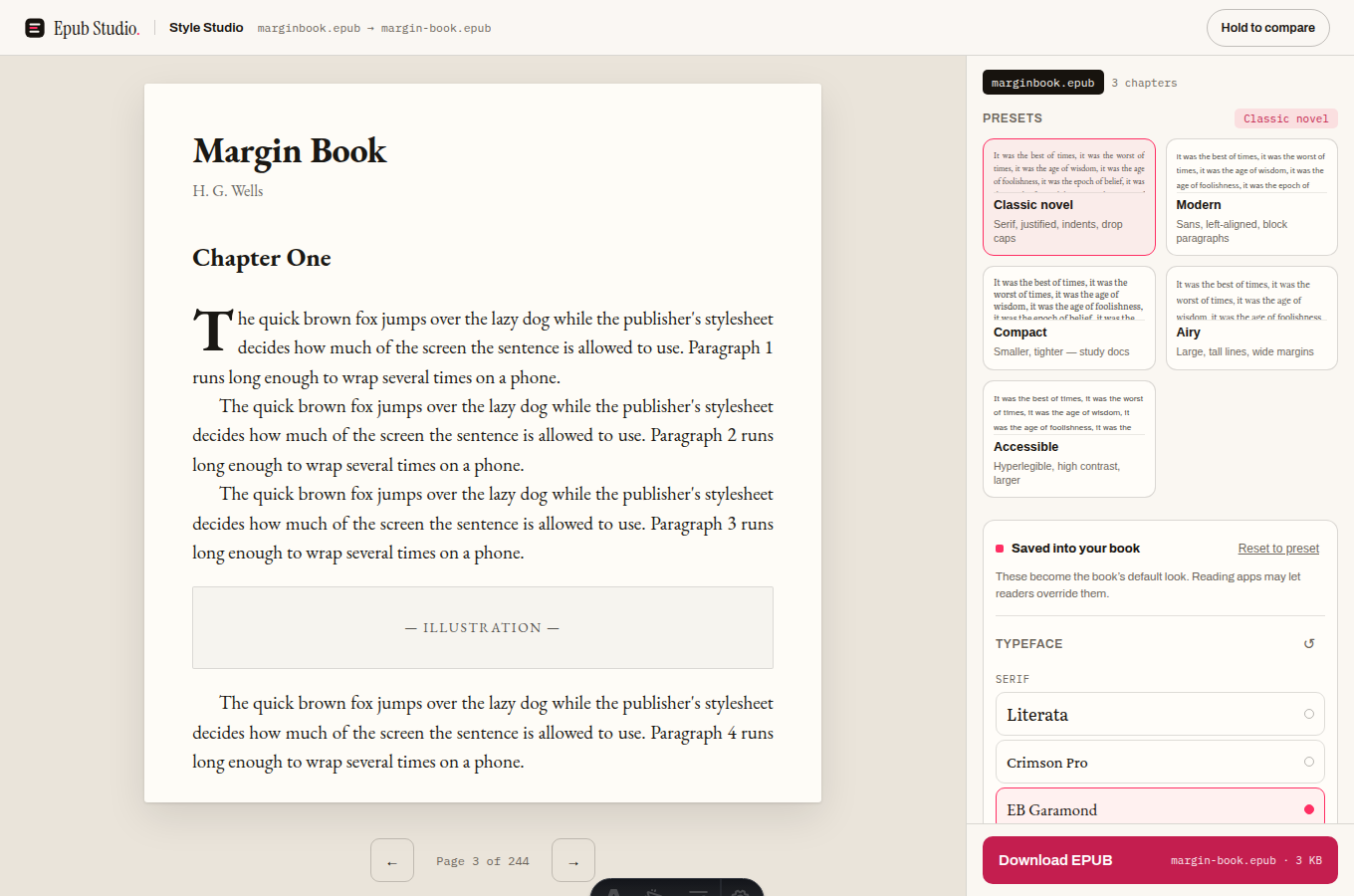
The download rewrote each chapter’s stylesheet link to point at one generated stylesheet instead of the publisher’s. The output, margin-book.epub, is 4,083 bytes against the original 3,334 — the difference is almost exactly the new 1,141-byte stylesheet. Its layout section is four lines where the original had four layers:
body {
  max-width: 64ch;
  margin: 0 auto;
  padding: 6%;
}
p { margin: 0; text-indent: 1.4em }
One padding value you chose, a line-length cap, and paragraph margins zeroed in favour of indents. Back into the same 360 px harness:
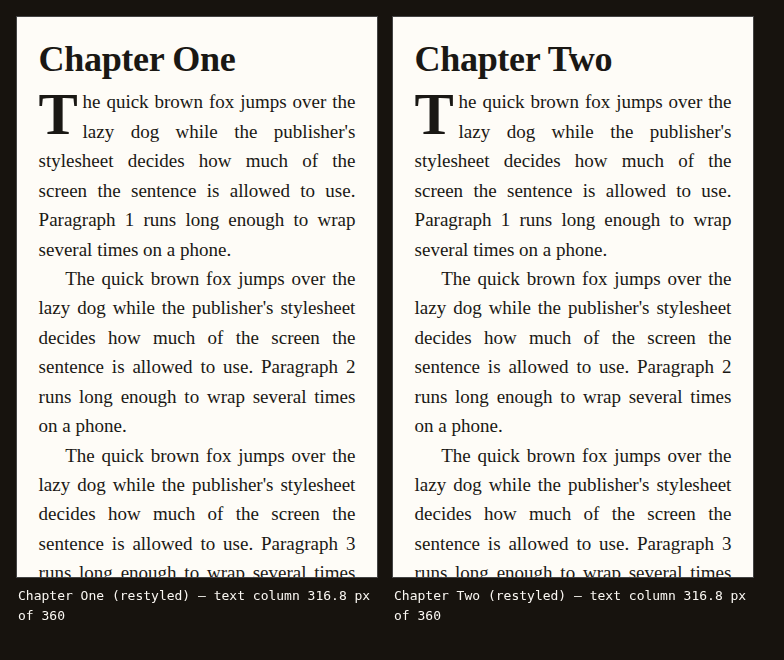
Chapter One: 316.8 px. Chapter Two: 316.8 px. The formerly pinned chapter is now pixel-identical to the control, because there is only one layout left in the book and it is yours. The third chapter of our fixture — which doubled up a 1.4em paragraph gap and a 1.8em indent, the belt-and-braces look Word exports love — came out normalised to the same convention as everything else: indents, no gaps.
If you would rather do it by hand, Calibre’s conversion dialog can force margins during an EPUB-to-EPUB convert, and its editor (or Sigil) lets you edit the stylesheet directly — find every margin and padding on body and its wrapper divs, not just the first one you see. That is the same fix with more steps, and it is the right route when you want to preserve the rest of the publisher’s design and only trim the excess.
Being realistic about what a restyle changes
Three honest edges. First, the original stylesheet is orphaned, not deleted: book.css still sits in the archive, 284 bytes of dead weight that nothing links to. Harmless, but if you inspect the file it is there. Second, inline styles survive — a paragraph carrying style="margin-left:40px" in its own markup keeps it, because the restyle swaps stylesheet links rather than rewriting chapter markup (we verified this in the tool’s code; our fixture had none). A book whose spacing is baked into every tag that way needs the Calibre editor, not a restyle. Third, this whole story is about reflowable books. A fixed-layout EPUB positions text on a fixed canvas, and its white space is geometry you cannot restyle — that is a different problem with different fixes.
It is also worth saying when big margins are not the fault: a generous margin on a 10-inch tablet in landscape is the stylesheet doing its job of capping line length. The sibling symptom — lines so long your eye loses the return path — is covered in our piece on line spacing and line length, and the opposite failure, where text runs past the screen edge and gets cut off, has its own post. Margins too big, lines too long, text clipped: three geometries, one root cause, which is CSS deciding things the screen should.
If a book you own reads like a till receipt, the five-minute version is: drop it on Style Studio, pick a preset, nudge the margin control, download. The squeezed column was never a verdict on your phone — it was four CSS rules that nobody measured on a small screen, and they are yours to overrule.
How to fix EPUB margins the app cannot change
- 01 Open the book in Style StudioDrop the EPUB on the page. The preview that appears is your actual book, rendered in your browser — nothing uploads.
- 02 Pick a preset and set the marginsAny preset replaces the publisher's layout wholesale; the margin control then sets one padding value you own. Adjust until the preview reads right.
- 03 Download and spot-check a middle chapterThe download rewrites the book's stylesheet links, so every chapter now follows one layout. Open a chapter that used to be squeezed and confirm the column fills the screen.
Frequently asked questions
Are huge margins a sign my EPUB file is broken?
No. We ran our squeezed test book through a validator and it passed with no problems found, because margins live in the book's stylesheet and a validator checks structure, not taste. A file can be perfectly valid and still waste half the screen.
Why do the margins get even bigger when I increase the font size?
Because many books set margins in em units, which are multiples of the current font size. Kobo's own EPUB guidelines warn against this for exactly that reason: when a reader selects a large font, em-based margins grow with it, so the text column shrinks just when you asked for more legibility.
Does fixing the margins change the book's text?
No. The restyle rewrites which stylesheet the chapters point at and nothing else — in our test the chapter prose survived byte for byte, and the file grew only by the size of the new stylesheet. The words, images and chapter order are untouched.
Can Calibre fix EPUB margins instead?
Yes, two ways. Its conversion dialog has a Page Setup section where you can force margin values during an EPUB-to-EPUB convert, and its editor lets you change the stylesheet by hand if you can read CSS. Both do the same thing a restyle does: change the book's own styles rather than the app's setting.
Will the fixed margins carry over to other reading apps?
Yes, because they are written into the EPUB's own stylesheet, which travels with the file. Any app that honours publisher CSS will show the new layout. Apps that let readers override publisher styles may still apply their own typography on top — but that is the normal setting working normally, not the lock you started with.