Fixed-layout EPUB problems: why the same book breaks

Children’s books, comics, cookbooks, art catalogues — anything where the page is a designed object — get built as fixed-layout EPUB. And fixed-layout EPUB problems have a recognisable signature: the book is perfect in one app, and in the next it is a thumbnail floating in white space, or text piled in a corner, or a plain reflowed novel with the design stripped out entirely. The file did not change between those two openings. The app did.
That pattern is not bad luck, and it is usually not corruption either. Fixed layout is an opt-in contract between the book and the reading system, and the contract has three clauses. When any one of them fails, the failure is silent — no error dialog, no warning, just a wrong-looking book. To make the clauses concrete, we hand-built a small fixed-layout EPUB for this post — 2,998 bytes, two pages — and ran it through our own tools. Everything below comes from that file.
The contract: what makes an EPUB fixed-layout
An EPUB is reflowable by default. Under the zip it is web content — see inside an EPUB for the full anatomy — and web content pours itself into whatever screen it meets. Fixed layout is the format telling the reading system to stop doing that: every page is a canvas with exact dimensions, and everything on it is pinned to coordinates.
Here is the entire structure of our demo:
$ unzip -l fixed-layout-demo.epub   (2,998 bytes total)
       252  META-INF/container.xml
      1163  OEBPS/content.opf
       616  OEBPS/fixed.css
       413  OEBPS/nav.xhtml
       679  OEBPS/page-001.xhtml
       706  OEBPS/page-002.xhtml
        20  mimetype
mimetype: application/epub+zip
rootfile (from META-INF/container.xml): OEBPS/content.opf
Nothing exotic. What makes it fixed-layout is three lines of metadata in content.opf:
<meta property="rendition:layout">pre-paginated</meta>
<meta property="rendition:orientation">auto</meta>
<meta property="rendition:spread">landscape</meta>
plus one line in the <head> of every page:
<meta name="viewport" content="width=1200, height=1600"/>The first block is the declaration: pre-paginated means each spine item is one finished page, not a stream of text. The viewport line is the geometry: it tells the app the canvas is 1200 × 1600 units, so a phone can scale the whole page down and a tablet can scale it up, both keeping the proportions. Our two spine entries also carry page-spread-left and page-spread-right, which is how facing pages pair into a spread. Every element in the pages themselves is absolutely positioned against that canvas in CSS. That is the whole trick. There is no rendering engine inside the file — just these promises about one.
Where it breaks: the three clauses
Clause one: the declaration is not seen. Fixed layout is opt-in, and the fallback for an unrecognised or missing declaration is the default — reflow. If rendition:layout is absent, misspelled, or sitting somewhere the app does not look, the book opens “successfully” as an ordinary reflowable EPUB: absolutely positioned blocks stack top to bottom, backgrounds collapse, captions drift away from their images. The design is gone and nothing reports why, because from the app’s point of view nothing went wrong.
Clause two: the viewport is missing or lies. The canvas size comes from each page’s viewport line — it is the only place the geometry is stated. Take it away and the app has nothing to scale against, so it guesses, and different apps guess differently: a tiny page in a sea of margin, a page cropped to a corner, content at wildly wrong proportions. A subtler version is a viewport that contradicts the artwork — declared 1200 × 1600 over art drawn at another ratio — which shows up as letterboxing, cropping, or overlap. Subtler still: pages that declare different sizes from each other, so the zoom jumps on every page turn.
Clause three: the app does not hold up its end. Honouring these properties is the reading system’s side of the contract, and support is genuinely uneven — fixed layout leans on the app implementing scaling, spreads and pinned geometry, and plenty of readers simply do not. An app that ignores the rendition properties opens the file as clause one: a reflowed book. No error there either, because a fixed-layout EPUB is a valid EPUB with extra promises, and ignoring a promise is not a crash.
The symptom usually names the clause:
| What you see | Which clause failed |
|---|---|
| The book reflows like a novel | Declaration missing or ignored (one or three) |
| Page renders tiny, huge, or cropped | Viewport (two) |
| Facing pages will not pair into spreads | Spread properties, or the app (three) |
| Zoom level jumps between pages | Viewports disagree page to page (two) |
A validator will not catch a fixed-layout problem
This is the counter-intuitive part, so we tested it rather than asserting it. We dropped the demo onto our EPUB validator:
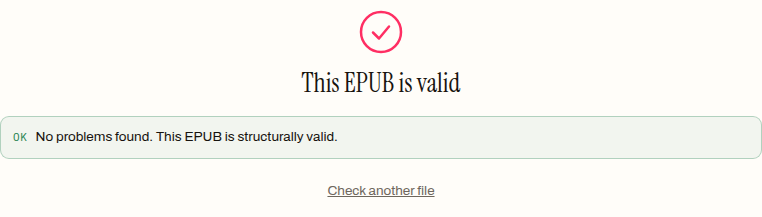
It passes, and the validator is right. Validation checks structure: the mimetype is exact, container.xml points at a real package document, every manifest entry resolves to a file in the archive, the spine has a reading order, the required metadata is present. Our demo satisfies all of it. But notice what that list does not contain: nothing checks that the viewport matches the art, that the declared canvas is honoured, or that the app you will open it in supports pre-paginated books at all. Those are rendering questions, and rendering is exactly the part of the contract that fails silently. Every problem in the section above can happen to a file that validates clean — which is why “the file passed but looks broken” is the normal shape of a fixed-layout bug report, and why the fix is almost never re-zipping the archive.
Validation still earns its place here: it rules the structural half out. If the file fails validation, fix that first. If it passes and still renders wrong, you are in clause territory.
What conversion does to a fixed layout
The other honest thing we can show with our own tools is what happens when a fixed-layout book meets reflow-first software — because that is what most converters, ours included, actually are. We ran the demo through the EPUB to PDF converter:
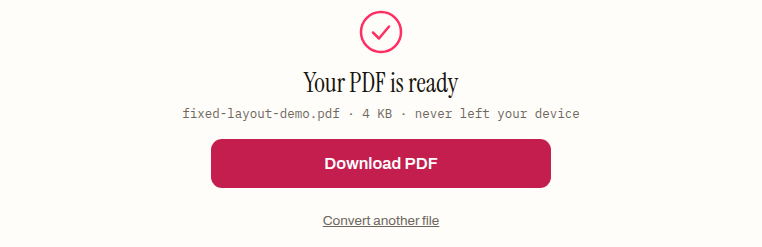
The 2,998-byte EPUB became a 3,865-byte, two-page PDF, and the conversion tells you precisely what reflow tooling sees in a fixed-layout file. The content survives: both headlines, both captions, even the folio numbers arrive as clean, selectable text. The geometry does not: the converter reads each page as a document, extracts its text and images in source order, and re-typesets them as ordinary paragraphs on a fresh page. Canvas, coordinates, spreads — all of it is layout, and re-typesetting is the deliberate opposite of preserving layout.
For a novel that trade is the entire point. For a picture book whose meaning lives in where things sit on the page, it is the wrong tool, and we would rather say so than pretend otherwise: if the geometry is the content, nothing that re-typesets — our converter included — will carry it.
When fixed layout is the wrong answer
Some judgement, from the format mechanics rather than taste:
- If “looks identical everywhere” is the actual requirement, that format already exists — it is PDF, which bakes the rendering into the file instead of promising it in metadata. The trade-offs run in both directions; EPUB vs PDF vs MOBI walks them properly.
- Fixed layout for plain prose collects every downside and no upside. Text cannot resize for the reader, pages cannot adapt to the screen, and you still inherit all three failure clauses. Reflowable exists precisely so prose never needs this.
- Amazon is its own world. Kindle’s formats have their own fixed-layout machinery, and books go in through Amazon’s conversion pipeline rather than being read as EPUB directly — the Kindle file formats reference covers that ecosystem. Amazon’s previewing tools are desktop software we cannot drive from a browser, so nothing here is a claim about how its pipeline renders your specific book: if Kindle is the destination, preview there before you publish there.
The two-app test
When a fixed-layout book misbehaves, resist the urge to rebuild it blind. Check the structural half first — the EPUB validator will confirm in a few seconds whether the archive, manifest and metadata are sound, entirely in your browser. If it passes, open the book in a second reading app before touching the file. Two apps agreeing means the file is probably declaring something wrong: check the rendition:layout line and the viewport in each page against the numbers your designer intended. Two apps disagreeing means the file is likely fine and one app is not honouring the contract — and no amount of editing the EPUB will fix an app. Knowing which side of that line you are on is most of the diagnosis, and it costs two file-opens.
Frequently asked questions
Why does my fixed-layout EPUB open as an ordinary reflowable book?
Because fixed layout is opt-in and reflow is the fallback. Either the rendition:layout declaration is missing, misspelled or somewhere the app does not look, or the app simply does not honour pre-paginated books — both fail silently and produce the same reflowed result. Opening the book in a second app tells you which side the fault is on.
Why does a page render tiny, cropped, or at the wrong proportions?
That is the viewport. Each page's viewport meta line is the only place the canvas geometry is stated; take it away and the app guesses, and different apps guess differently. A viewport that contradicts the artwork's real ratio shows up as letterboxing, cropping or overlap, and pages that declare different sizes from each other make the zoom jump on every page turn.
Why won't my facing pages pair into a two-page spread?
Spreads need both sides of the contract: the file's spine entries must carry page-spread-left and page-spread-right properties alongside the rendition:spread declaration, and the app must implement spreads at all. If the properties are present and pairing still fails, the app is the missing half — and no edit to the file will fix an app.
Does fixed-layout EPUB work on Kindle?
Not as EPUB directly. Kindle's formats have their own fixed-layout machinery, and books enter through Amazon's conversion pipeline rather than being read as EPUB — so nothing about how a book renders in EPUB apps predicts how that pipeline will treat it. If Kindle is the destination, preview with Amazon's own tools before you publish there.
Can I convert a fixed-layout EPUB to PDF without losing the layout?
Not with reflow-first tooling. A converter reads each page as a document, extracts its text and images in source order, and re-typesets them as ordinary paragraphs — the content survives, the geometry does not. If where things sit on the page is the content, nothing that re-typesets will carry it.
Is fixed layout a good choice for a text-only book?
No — for plain prose it collects every downside and no upside. Text cannot resize for the reader, pages cannot adapt to the screen, and the book inherits all three silent failure modes. Reflowable EPUB exists precisely so prose never needs any of this; fixed layout earns its keep only where the page is a designed object.