What is an FB2 file? FictionBook, explained

A file ending in .fb2 is a FictionBook ebook — and unlike almost every
other ebook format, it is not an archive. There is no zip to open, no folder
of parts, no manifest. An FB2 file is one XML document: the metadata, the
chapters, and even the images, base64-encoded, all sitting in a single
text file you can open in an editor and read.
If an FB2 file has just landed on you — from an old backup or a friend’s collection — the practical questions are what it is, what still opens it, and what happens to the book when you convert it to something more widely supported. We can answer the last one precisely, because we ran the conversion on a real file while writing this and kept the numbers.
One XML document, no archive
Here is the actual shape of an FB2 file — this excerpt is from the specimen we built for this post from our own test text, trimmed but otherwise verbatim:
<?xml version="1.0" encoding="utf-8"?>
<FictionBook xmlns="http://www.gribuser.ru/xml/fictionbook/2.0"
             xmlns:l="http://www.w3.org/1999/xlink">
  <description>
    <title-info>
      <author>
        <first-name>Specimen</first-name>
        <last-name>Author</last-name>
      </author>
      <book-title>The Conversion Specimen</book-title>
      <lang>en</lang>
    </title-info>
  </description>
  <body>
    <section>
      <title><p>CHAPTER 1: WHAT THIS FILE IS</p></title>
      <p>This is the specimen book Epub Studio uses…</p>
    </section>
  </body>
  <binary id="cover.png" content-type="image/png">iVBORw0KGgo…</binary>
</FictionBook>
Three things in that structure explain most of what FB2 does well and badly.
First, the tagging is semantic. A <section> is a chapter, a <title> is
its heading, a <p> is a paragraph. There is no font, no page size, no
layout instruction anywhere — the reading app decides all of that. In this
respect FB2 and EPUB agree completely; both are reflowable formats, and
which format a book should be in is a separate
question from which container it sits in.
Second, the metadata lives inside the same file, in the <description>
block, in named fields — not in filename conventions, not in a sidecar. Any
tool that speaks XML can read the author and title without guessing.
Third, the images are text. A <binary> element holds each image as
base64, which inflates it by a third: the 56,542-byte PNG we embedded in the
specimen became 75,392 characters of encoded text. That is the price of the
single-file design, and it is why an FB2 with pictures is noticeably larger
than the same book packed as EPUB — our specimen was 79,032 bytes as FB2
and 57,561 bytes after conversion, with identical content.
Compare that with EPUB, which is a zip archive of separate XHTML, CSS and image files with a manifest — we have opened one up piece by piece before. The archive design costs complexity but stores images as images. The FB2 design costs bytes but means the book is never “corrupt because the zip broke”.
How to open an FB2 file today
Honestly: it depends on the reader you already use, and we are not going to
publish a support table we have not tested. Some reading apps open .fb2
directly; many list only EPUB, PDF and a couple of others in their import
dialogs. The one route we can vouch for first-hand is the file itself — FB2
is plain text, so a text editor or a browser will show you the book’s
content on any platform, unstyled but readable, which is more than most
formats can say.
If the file arrives zipped — .fb2.zip is common precisely because XML
compresses so well — unzip it first. The zip is a wrapper, not part of the
format, and tools that accept .fb2 (ours included) want the plain file
from inside it.
For actually reading at length, conversion to EPUB is the pragmatic answer, because EPUB is what nearly everything opens. Which brings us to what conversion does to the book.
We converted one — here is what survived
We built a real FB2 from our specimen text — four chapters, an emphasis tag inside one paragraph, a footnote body, and an embedded 56,542-byte PNG — and dropped it on our FB2 to EPUB converter. The conversion runs in the browser; the file never leaves your device.
What the output actually contained, checked entry by entry:
| In the FB2 | In the converted EPUB |
|---|---|
<book-title> The Conversion Specimen | dc:title — carried over exactly |
<author> first + last name | dc:creator “Specimen Author” |
<lang>en</lang> | dc:language — carried |
4 <section> elements with titles | 4 chapter files, headings intact, real table of contents |
| Paragraph text | Fully preserved, word for word |
<emphasis> inside a paragraph | Flattened to plain text — the words survive, the italics do not |
<body name="notes"> footnotes | Dropped — only the main body converts |
56,542-byte PNG in <binary> | Decoded and stored byte-for-byte — but not flagged as the cover |
The losses are the honest part of that table, so to spell them out: the converter reads each paragraph’s text and rebuilds it clean, which means inline markup inside paragraphs — emphasis, strong, inline links — is flattened to plain words. The separate notes body, FB2’s home for footnotes, is skipped entirely. The current build also repeats each section title as the chapter’s first paragraph — a cosmetic duplication we found while testing for this post and have logged. And although the embedded image is decoded back to an exact copy of the original PNG inside the EPUB, nothing marks it as the cover, so a shelf app will show a blank tile — the same symptom, from a different cause, as a cover that exists but is not declared, and the same one-minute fix in the cover editor.
For a plain prose novel, none of those losses touches the reading experience. For a footnoted or heavily formatted book, they do, and a full desktop converter such as Calibre is the right tool for that job. That is not a hedge; it is what the test showed.
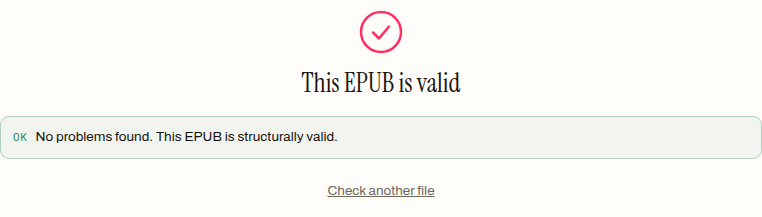
The result is structurally sound, though. The converted specimen went straight through our EPUB validator:
One more first-hand data point: a malformed FB2 fails fast. We deleted a single closing tag from the specimen and the converter refused it with “This FB2 file has malformed XML and cannot be read.” — XML’s strictness is the format’s safety rail here, exactly as it is inside an EPUB’s own chapter files.
Keep the FB2 or convert it?
Keep the original either way — it is small, it is text, and it archives well. But for day-to-day reading the arithmetic favours EPUB: every mainstream reading system opens it, it stores images without the base64 tax, and a converted file that validates cleanly will behave in strict readers too. Drop your file on the FB2 to EPUB converter, give the output a cover if the book had one, and it is a normal ebook from then on. If what you actually need is a PDF for printing, convert to EPUB first and run the result through EPUB to PDF — two steps, because each one is doing a genuinely different job.
How to convert an FB2 file to EPUB
- 01 Drop the .fb2 file on the converterOpen the FB2 to EPUB tool and drop the file in. It is parsed as XML in your browser; a malformed file is rejected with an error before anything is built.
- 02 Download the EPUB, or style it firstThe done panel offers the EPUB directly or a pass through Style Studio. Title, author and language carry over from the FB2 description block.
- 03 Re-set the cover if the book had oneEmbedded images travel into the EPUB but the cover is not re-flagged. Add it in the cover editor so shelf apps show it.
- 04 Validate the resultRun the output through the validator. The specimen conversion in this post came back "No problems found".
Frequently asked questions
Can I open an FB2 file in a text editor?
Yes. An FB2 file is a single XML document, so any text editor shows you the book directly: the metadata block at the top, then the text with every paragraph in a p tag. That is also a quick way to check a file is really FB2 — it should start with an XML declaration and a FictionBook root element, not with binary noise.
Why did my converted book lose its italics?
Because the converter reads each FB2 paragraph as plain text, inline formatting inside a paragraph — emphasis, strong, inline links — is flattened. The paragraph text itself is fully preserved. We reproduced this on a test file in this post: an emphasis tag went in, plain text came out. For a book where inline styling matters, Calibre preserves it.
Does converting FB2 to EPUB keep the cover?
Partly, in the current build of our converter. The embedded image is decoded from base64 and lands in the EPUB byte-for-byte intact, but it is not flagged as the cover in the package manifest, so shelf apps show a blank tile. Re-attaching it with a cover editor takes under a minute and fixes that.
What is an fb2.zip file and why will the converter not take it?
Because FB2 is uncompressed XML, it is often distributed zipped, as book.fb2.zip. Our converter accepts .fb2 and .xml only, so unzip it first — on every desktop platform that is one right-click — and drop the plain .fb2 that comes out. The zip is only a wrapper; the book inside is unchanged.
How do I read an FB2 book on a Kindle?
Convert it to EPUB first. Amazon's Send-to-Kindle route has accepted EPUB since 2022, so FB2 to EPUB to Send-to-Kindle is the dependable path: convert the file in your browser, then email or upload the EPUB to your Kindle address. Trying to load the raw .fb2 onto the device is not a route we can recommend from experience.