Is EPUB safe? What the file can and cannot do

Someone emails a manuscript, or a library download lands in the Downloads folder, and the question arrives with it: is EPUB safe to open, or is this how a machine gets infected? It is a reasonable thing to ask about a file format most people have never looked inside.
The honest answer needs two halves. What the format can technically carry, and what actually happens when a real reading application meets it. Those are different questions, and most of the reassurance written about EPUB only answers the first one.
So this post answers both with a file built for the purpose — a specimen book deliberately loaded with the two things people worry about, then run through our own tools to see what they made of it.
What is actually in the box
Unzipping our specimen book gives the whole inventory. This is the real listing, printed from the archive itself:
$ unzip -l specimen.epub   (5,183 bytes total)
       251  META-INF/container.xml
       364  OEBPS/chapter-001.xhtml
       845  OEBPS/chapter-002.xhtml
       905  OEBPS/chapter-003.xhtml
       618  OEBPS/chapter-004.xhtml
       573  OEBPS/chapter-005.xhtml
      1314  OEBPS/content.opf
       682  OEBPS/nav.xhtml
       452  OEBPS/style.css
       986  OEBPS/toc.ncx
        20  mimetype
Eleven entries: five chapters of XHTML, a stylesheet, two navigation files, an XML package document, a pointer file and a twenty-byte label. No executables. No installer. Nothing with a .exe, .dll, .app or .sh anywhere in it, because nothing in the format’s design has a place to put one. A book is markup and pictures in a zip — the structure of an EPUB is genuinely that plain.
That already rules out the fear most people actually have. An EPUB cannot install software, cannot start a process, and cannot ask your operating system for anything, because your operating system never hands it the chance — the file goes to a reading app, which reads it as text.
But “markup” is doing some work in that sentence. The chapters are XHTML: the same language web pages are written in. And web pages can hold scripts.
The test: a book carrying a script and a tracking pixel
To find out what the container tolerates, I took the specimen and rebuilt it with one change. Chapter two gained two extra elements: a one-pixel image pointing at an off-site URL, and a script block that rewrites the document title and calls out to the same host.
<p><img src="https://tracker.example/pixel.png" alt="" width="1" height="1"/></p>
<script><![CDATA[
  document.title = 'changed by script';
  fetch('https://tracker.example/beacon?book=specimen');
]]></script>
The chapter grew from 845 to 1,065 bytes; the book from 5,183 to 5,304. Then I dropped it on our EPUB validator, which is the tool people are told to run when a file looks suspect.
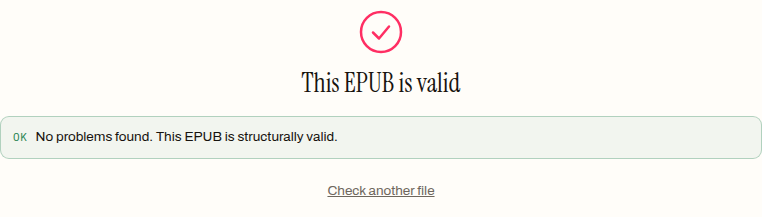
No problems found. This EPUB is structurally valid.
That verdict is correct and it is worth sitting with. A validator checks whether a book is built properly — container pointer, package document, manifest entries all present and parseable. It has no opinion about what the markup inside is trying to do, any more than a spell-checker has an opinion about a lie. Structural validity is not safety, and any tool that claims to certify both is overselling itself.
So the container accepts active content. That is the first half of the answer, and taken alone it sounds alarming.
What the reading software actually did with it
The second half is where the alarm mostly drains away, because a script is inert until something agrees to run it.
I converted the same hostile file with our EPUB to PDF tool and kept the output to examine.
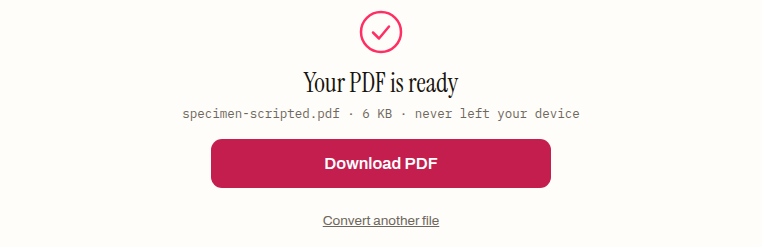
The result was a 5,906-byte PDF. Decompressing all five of its content streams and searching them, the prose came through — “CHAPTER 1”, “specimen book” — and the hostile parts did not. No tracker.example, no fetch, no trace of the string the script tried to set. The remote pixel produced no network request at all.
This is not luck, and it is the part worth understanding rather than trusting. Our converter turns each chapter into a flat list of typographic blocks — headings, paragraphs, blockquotes, list items, images — and the walker that builds that list skips script and style tags before it looks at anything else. There is no branch in which their contents reach the page. Images go through a loader that resolves a path inside the zip file; a remote URL matches no entry in the archive, so it returns nothing and the block is dropped. The tool has no code path that reaches the network for a book’s assets, which is the same property that lets the whole thing run on your machine with nothing uploaded.
The direction that builds EPUBs behaves the same way in reverse. When our tools convert arbitrary HTML into a book, the sanitiser removes script, style, iframe, object, embed and form elements outright, then strips every on* event attribute from what survives. A page can arrive carrying handlers; the book that comes out does not.
What I cannot tell you from this run is what Apple Books, Calibre, Kobo’s firmware or any other reader does with the same file — I did not test them, and a post that guessed would be worthless. The useful generalisation is structural rather than brand-specific: a script in a book runs only if the app opening it chooses to hand that markup a JavaScript engine, and a remote image loads only if the app chooses to go and get it. Both are decisions made by software you installed, not by the file you were sent. If that matters to you for a particular app, its own documentation or settings are the place to check.
Is EPUB safe to open from a stranger?
Two real risks survive all of the above, and neither is the one people ask about.
The first is the reading application itself. Every reader has to parse zip structures, XML, HTML, CSS and image data written by someone else, and parsers are where software gets broken into. This is not an EPUB-specific weakness — it is equally true of PDFs, Word documents and images — and the defence is equally unglamorous: keep the reading app updated, and prefer apps that are actively maintained.
The second is privacy rather than infection. A remote image in a book is a beacon: if the app fetches it, the server behind it learns the book was opened, roughly when, and from what address. Nothing is stolen and nothing is installed, but a document that phones home is a fair thing to object to. This is also, incidentally, the mechanism worth knowing before assuming a file is “clean” because no antivirus flagged it — there is nothing malicious for a scanner to find in a one-pixel image.
Then there is the trick that actually works, which is not an EPUB at all. A file named great-novel.epub.exe is an executable wearing a book’s name, and on a system that hides known extensions it looks like a book. Checking is quick, because a real EPUB starts with a fixed signature. The first bytes of our specimen read:
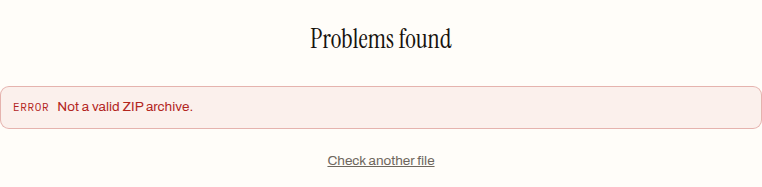
PK\x03\x04 ... mimetypeapplication/epub+zipPK is the zip signature, and the string application/epub+zip sits at byte 38 — the format requires that label be the first thing stored in the archive. A file that does not begin PK is not an EPUB whatever its name says. Our validator reaches the same conclusion by the same route: hand it a plain text file renamed .epub and it stops at the first hurdle.
Being realistic about what a check can prove
A validation pass proves a book is well made. It does not prove the sender is honest, and no static check will — the script in the file above was legitimate markup by every structural measure. What the check genuinely buys you is the ability to say this is a real EPUB, and it is intact, which is exactly what you want to know about an unexpected download before opening it in anything.
It is also worth separating safety from the other reason books refuse to cooperate. A file that opens as gibberish, or asks for an authorisation it cannot get, is usually damaged or locked by DRM rather than dangerous, and a book that simply will not open is more often a broken archive than an attack. Those are different problems with different fixes, and reaching for a virus scanner will solve none of them.
The practical routine, then, is short. Confirm the thing is actually an EPUB. Prefer sources you have reason to trust — a library, a publisher, a public-domain archive — over a random mirror, for the same reason you would anywhere else. Keep the app you read in current. Beyond that, the format itself is about as inert as a document format gets, and the evidence above is the reason we can say so plainly rather than reassuringly.
If a file has arrived and you would rather know what it is before opening it, run it through the validator first: it stays on your machine, takes a few seconds, and tells you whether you are holding a real book or something wearing the name.
Frequently asked questions
Can an EPUB file contain a virus?
Not in the sense of an executable program. An EPUB is a zip archive of markup, styles and images with no place in its design for an installer, and opening one does not execute code the way running a program does. The residual risks are different in kind: a script the reading app may choose to run, a remote image that can act as a beacon, and parser bugs in the reading software itself — which is why keeping the app updated matters more than scanning the book.
Can an EPUB run JavaScript?
It can carry it — chapters are XHTML, and a structurally valid book can include a script block, as the modified specimen in this post did. Whether it runs is the reading app's decision: a script executes only if the app opening the book hands that markup a JavaScript engine. The converter tested here skips script and style tags before looking at anything else, so their contents never reach the output.
Does passing the validator mean a file is safe?
No — it means the file is a real, intact EPUB, which is a different and still useful fact. A validator checks structure: the container pointer, the package document, the manifest. It has no opinion about what the markup is trying to do, and the specimen carrying a script and a tracking pixel passed here with no problems found. Structural validity is not safety, and no tool honestly certifies both.
How do I check a download is really an EPUB and not a disguised program?
A real EPUB begins with the zip signature PK, and the format requires the label application/epub+zip to be the first thing stored in the archive — it sits at byte 38 of the specimen. A file named something.epub.exe is an executable wearing a book's name. The quick route is a validator pass: hand it a file that is not a real zip and it stops immediately at Not a valid ZIP archive.
Can an EPUB track me when I read it?
It can try. A remote one-pixel image in a chapter is a beacon: if the reading app fetches it, the server behind it learns the book was opened, roughly when, and from what address. Nothing is installed and nothing is stolen — it is a privacy problem, not an infection. An app that never reaches the network for a book's assets gives the beacon nothing to work with, which is exactly what the conversion test in this post showed.