How to fix a typo in a published ebook

The email arrives about a week after launch. A reader is enjoying the book, they say, and then — “thought you’d want to know” — there it is: reproducable, halfway down a chapter you proofread four times. Every author gets this email eventually. The question is what to do with it.
To fix a typo in a published ebook you have to change one word inside an archive most people treat as sealed, do it without disturbing anything around that word, and then get the corrected file back into the store. None of those three steps is hard. Two of them have traps. This post walks the whole path on a real file, using the same specimen book our other guides use, so every number in it is something we actually measured rather than something that sounds plausible.
Fix the source first, not the file
If the book was produced from a manuscript — a Word document, a Markdown folder, an InDesign project — the typo lives there too, and that is where the fix belongs. Correct the manuscript, re-export the EPUB, and the job is done properly: the next edition, the print file, and the audiobook script all inherit the correction, and your EPUB never drifts away from its source.
Editing the EPUB directly is the fallback, not the default. It is the right move when the source is gone — an older book, an inherited catalogue, a production company that shut down — or when re-exporting would reflow a carefully checked layout for the sake of one letter. Those cases are common enough that the rest of this post is about them.
Where the typo actually lives
An EPUB is a ZIP archive, and the chapters inside it are ordinary XHTML text files. That means your typo is findable with the oldest tool in the box. We planted the reader’s classic — reproducable — into a copy of our five-chapter specimen book and went looking:
$ grep -rn "reproducable" .
./OEBPS/chapter-002.xhtml:11:  … so that the numbers you
read are reproducable from the repository.
One command, and you have the file and the line. To get to this point yourself: copy the .epub, rename the copy to .zip, and extract it. You will find a small mimetype file, a META-INF folder, and a content folder (often OEBPS) holding the chapters. The full anatomy is covered in what is inside an EPUB; for a typo hunt you only care that chapter text is plain markup you can open in any text editor.
The edit itself is the easy part. Change the word, touch nothing else. Two cautions: save the file as UTF-8, and do not let a helpful editor “tidy” the markup — chapter files are XML, and an unclosed tag introduced during a one-word fix is how a typo correction turns into a book that will not open.
The edit is easy — the re-zip is the trap
Here is the step that genuinely breaks books. You cannot simply zip the folder back up and rename it, because EPUB’s container format has one hard rule about the ZIP layout itself: the mimetype entry must come first, stored without compression, so a reader can identify the file from its opening bytes. A general-purpose zip tool does not know this.
We tested it both ways on the corrected specimen, then checked where the identifying string actually landed in each archive:
$ zip -r wrong.epub .            # the natural, wrong way
$ grep -abo "application/epub+zip" wrong.epub | head -1
66:application/epub+zip

$ zip -X0 right.epub mimetype    # mimetype first, stored
$ zip -rX9 right.epub META-INF OEBPS
$ grep -abo "application/epub+zip" right.epub | head -1
38:application/epub+zip
Byte 38 is where that string sits in a correctly packed EPUB — the original specimen, built by our own converter, has it at exactly that offset. The naive archive put it at byte 66, because zip inserted extra header fields ahead of the data even though it happened to place mimetype first. The file looks right in any archive manager. A strict reader sniffing those first bytes sees something that is not quite an EPUB. That is the whole trap: nothing about it is visible until a device refuses the book.
So the honest recommendation: if you are editing chapter text, do it in a tool that understands the container. Calibre’s built-in editor and Sigil both open the EPUB directly, let you fix the word, and re-pack the archive correctly when you save — no unzipping, no layout rule to remember. Our site does not edit body text in the browser, and we are not going to pretend a converter is the right tool for a one-word fix. Use the two commands above only when you want full manual control, and keep -X0, in that order, for the mimetype entry.
When the typo is in the title or the author, not the text
A misspelt title or a mangled author name is a different case, and a kinder one. Store pages and reader libraries render that text from the book’s metadata — a handful of fields in the package document — so the fix never touches a chapter.
This one we can do in the browser, and we ran it for this post. We gave the specimen a bruised title — Spceimen — packed it properly, and dropped it on our metadata editor. The form pre-filled itself with Spceimen, read out of the book’s own package document, which is worth pausing on: what you see in those fields is what the file really says, not what a store listing claims. We corrected the field and ran the tool.
The 5,183-byte input came back as a 5,185-byte EPUB. We unzipped the download to check the fix took: <dc:title>Specimen</dc:title>. The editor rewrites only the fields you change, directly inside the existing package document — the chapters, styles and images pass through untouched.
Validate before you re-upload
Whichever route you took, the corrected file goes through a validator before it goes anywhere near a store. Here is our re-zipped, typo-fixed specimen passing:
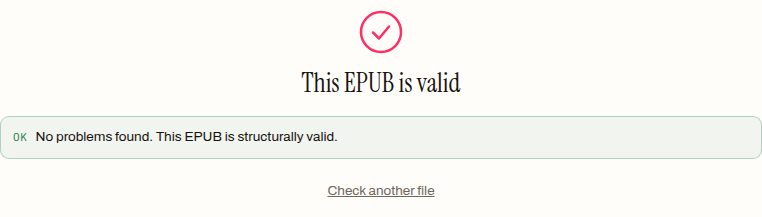
Our EPUB validator checks the failures that actually make readers reject a file: the mimetype content, the container pointer, whether the package document parses, whether required metadata is present, whether every file the manifest lists really exists in the archive, and whether the spine has a reading order. If your hand edit broke the XML or the re-zip dropped a file, it shows up here, and the validation error codes post decodes the messages stores’ own checkers produce.
One honest limitation, because it matters for exactly this workflow: our validator reads the archive with a tolerant parser and checks the mimetype entry’s content, not its byte position. A book zipped the wrong way can pass here and still be refused by a stricter reader. If you re-packed by hand, run the byte check yourself — grep -abo "application/epub+zip" book.epub — and treat any first number other than 38 as a repack, not a shrug.
What re-uploading fixes — and what it does not
The corrected file fixes the copy the store sells next. It does not, by itself, fix the copies already on readers’ devices. How updates reach existing buyers differs from store to store — some push corrections, some wait for the reader to re-download, and each platform documents its own policy, so check yours rather than assuming. What is certain is the negative: nothing you do to the file forces an update onto a device, and a copy that was loaded over USB will sit there, typo intact, until its owner replaces it.
Which is worth keeping in proportion. The reader who emailed you finished the book anyway. Fix the file, thank them, and let the correction ride along with every copy from today forward.
The fix itself is an evening’s work at most: source if you have it, Calibre or Sigil for chapter text, our metadata editor when the typo is in the title or the byline — then validate and re-upload. The browser tools run entirely on your machine; the book never uploads anywhere while you repair it.
How to fix a typo in a published EPUB
- 01 Find the file that holds the typoCopy the .epub, rename the copy to .zip, extract it, and search the chapter files — grep returns the exact file and line, because chapters are plain XHTML text.
- 02 Fix the word in a text editorChange the word and touch nothing else. Save as UTF-8 and do not let the editor tidy the markup — an unclosed tag is how a one-word fix becomes a book that will not open.
- 03 Re-pack the archive correctlyAdd the mimetype entry first, stored uncompressed (zip -X0), then the rest of the folders — or skip the manual route entirely and edit in Calibre or Sigil, which re-pack correctly on save.
- 04 Validate, then re-uploadRun the corrected file through an EPUB validator before it goes near a store. If the hand edit broke the XML or the re-zip dropped a file, it shows up here first, while it still costs nothing.
Frequently asked questions
Can I edit an EPUB with a normal text editor?
Yes for the edit itself — chapters are ordinary XHTML files you can open in any text editor once the archive is extracted. Save as UTF-8 and do not let the editor reformat the markup. The real danger is the re-zip afterwards, which has a layout rule general-purpose zip tools do not know; a container-aware editor like Calibre or Sigil sidesteps it entirely.
Why won't my EPUB open after I unzipped and re-zipped it?
Almost certainly the archive layout. EPUB requires the mimetype entry to come first in the ZIP, stored without compression, so a reader can identify the file from its opening bytes — and a general zip tool inserts extra header fields ahead of it. In a correctly packed file the string application/epub+zip sits at byte 38; any other offset means the file needs re-packing, not another edit.
Will readers who already bought my book get the corrected version?
Not automatically. Re-uploading fixes the copy the store sells from now on, but nothing you do to the file forces an update onto readers' devices — some stores push corrections, some wait for a re-download, and each documents its own policy. A copy loaded over USB keeps the typo until its owner replaces it.
Do I need to unzip the EPUB to fix a wrong title or author name?
No. A misspelt title or mangled author name lives in the book's metadata, not in any chapter, so a metadata editor fixes it in the browser without hand-editing the archive. It rewrites only the fields you change and passes the chapters, styles and images through untouched.
What is the safest tool for fixing a typo inside a chapter?
One that understands the EPUB container — Calibre's built-in editor or Sigil. Both open the EPUB directly, let you correct the word, and re-pack the archive correctly when you save, so there is no mimetype layout rule to remember. The manual unzip-and-rezip route is for when you want full control over every byte.