What is an EPUB file? A plain-English answer

A file lands in your downloads folder ending in .epub, and on a lot of computers double-clicking it does precisely nothing. So: what is an EPUB file? It is an ebook — the standard way a digital book is packaged as a single file. Nearly every bookstore that is not Amazon sells books in it, public libraries lend in it, and e-readers that are not Kindles read it natively.
The name is short for electronic publication, and the format is an open standard — the specification is public, maintained by the W3C, and free for anyone to implement. That is why EPUB has outlasted a graveyard of proprietary ebook formats: no single company owns it, so no single company can kill it.
The format, in one idea: text that reflows
A printed page is fixed. A PDF is a photograph of that fixed page — zoom in on a phone and you scroll sideways forever. An EPUB makes the opposite bet: it stores the book as flowing text plus styling instructions, and lets the reading device decide how to pour that text onto its own screen.
Make the font bigger and the book quietly re-typesets itself. Fewer words fit each line, the chapter gets “longer”, and nothing breaks. This is also why page numbers, in the printed sense, don’t exist in the format — there is no fixed page for a number to live on.
Technically, an EPUB is a ZIP archive containing web pages: XHTML files for the chapters, CSS for the styling, images, and a couple of small files that tell the reading app what order everything goes in. Rename one to .zip and you can look inside yourself — we’ve unpacked one file by file in what is inside an EPUB, which is the natural next read once the definitional question is settled.
How to open an EPUB file
The honest platform-by-platform answer, which is most of what people asking this question actually need:
| Where you are | What opens it |
|---|---|
| iPhone, iPad, Mac | Apple Books — already installed; tap or double-click the file |
| Android | Google Play Books, or any ebook app from the store |
| Windows | Nothing built in — install a free ebook app such as Calibre |
| Kindle | Don’t open it locally — send the file to your Kindle library |
| Kobo, PocketBook, most e-readers | EPUB is their native format; copy it across |
Two of those rows deserve a sentence. Windows is the platform where the “double-click does nothing” experience happens, because no EPUB reader ships with the system — that, more than anything, is why this question gets asked. And Kindle is the odd one out by history: Amazon kept its own formats for years, but today sending an EPUB to a Kindle works directly, with Amazon converting it behind the scenes.
EPUB next to PDF and Kindle formats
The three formats people actually encounter solve different problems. PDF preserves an exact page — right for contracts, wrong for novels on phones. Amazon’s AZW3/KF8 family is EPUB’s close cousin, locked to the Kindle ecosystem. EPUB is the neutral, reflowable one in the middle.
The full comparison — with the tradeoffs spelled out — lives in EPUB vs PDF vs MOBI. The one-line version: reading on screens favours EPUB, printing favours PDF, and MOBI is a legacy format you should be migrating away from, not to.
Where EPUB files come from
Bookstores and libraries, mostly. Project Gutenberg and other public-domain shelves offer them by the thousand. Authors’ newsletters attach them. Fan-fiction archives export them.
And you can make one yourself, from almost nothing. As a working demonstration for this post, we dropped a four-chapter plain-text file — 1,550 bytes, the specimen we keep in this site’s repository — onto the TXT to EPUB converter. It came back a few seconds later as specimen.epub, a complete 5,187-byte book with a chapter list and styling:
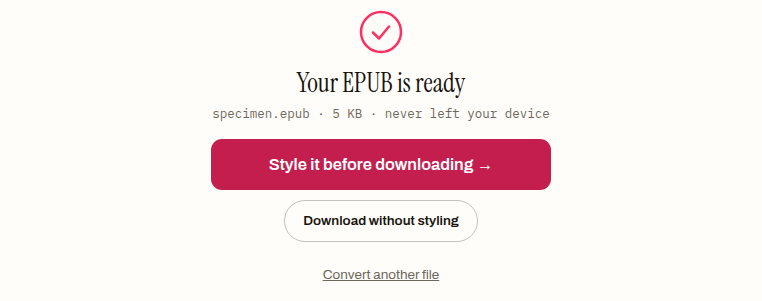
That is the whole mystery, really. An EPUB is ordinary text and ordinary web styling in a standard wrapper — which is why a 1.5 KB text file becomes a valid book in one step, and why the format is the default export of nearly every writing tool.
What an EPUB will not do
Being realistic about the edges:
It will not open if it carries DRM. A book sold with a digital lock only opens in the store’s own app, signed into the account that bought it. That is a property of the lock, not the format — and no legitimate converter will open such a file either.
It will not hold a fixed layout. Print-faithful design — precise page geometry, text wrapped around figures just so — is PDF’s territory. Reflowable EPUB trades that control away on purpose.
It will not always survive careless editing. The chapters inside are strict XHTML; unzip a book, hand-edit it, re-zip it wrong, and it stops opening. If you only remember one thing from the structure deep-dive, make it that.
If you’d rather just have a normal file
Sometimes the honest answer to “what is an EPUB file” is “a format you don’t want right now” — you need to print three pages, or open the book on a locked-down work machine with no ebook app in sight. Converting is simpler than installing: drop the file on the EPUB to PDF converter and it produces a fixed, printable PDF in your browser, without the file leaving your device. We ran our specimen book through it while writing this post: 5,183 bytes of EPUB in, a 5,906-byte PDF out, a few seconds end to end.
If instead you’ve got a reading app and a growing shelf of .epub files — good. You picked the format that belongs to nobody, opens everywhere that matters, and treats your eyesight as an adjustable setting rather than a printing decision made without you.
Frequently asked questions
Is EPUB free to use, or does someone own the format?
Nobody owns it. EPUB is an open standard whose specification is public, maintained by the W3C and free for anyone to implement. That is much of why it has outlasted a graveyard of proprietary ebook formats — no single company can retire it or lock it away.
Why does double-clicking an EPUB do nothing on Windows?
Because Windows ships with no EPUB reader — nothing on the system is registered to open the file, so the double-click falls flat. Installing any free ebook app, such as Calibre, gives the extension a home. That gap, more than anything else, is why this question gets asked in the first place.
Can a Kindle read an EPUB file?
Yes, though not by opening the file on the device directly. You send the EPUB to your Kindle library and Amazon converts it to its own format behind the scenes — that route has worked since 2022. The one thing not to expect is the Kindle opening the raw file locally.
Why don't EPUB books have real page numbers?
Because there is no fixed page for a number to live on. An EPUB stores flowing text and lets each device pour it onto its own screen, so making the font bigger quietly re-typesets the book and changes how much fits on every screenful. Fixed pages — and the numbers that go with them — are PDF's territory.
Can I open an EPUB file and look inside it?
Yes — an EPUB is a ZIP archive containing web pages. Rename the file to end in .zip and any archive tool will show you the chapters as XHTML files, the CSS styling, the images, and the small files that set the reading order. Just be careful editing: the chapters are strict XHTML, and re-zipping a hand-edited book wrongly can stop it opening.